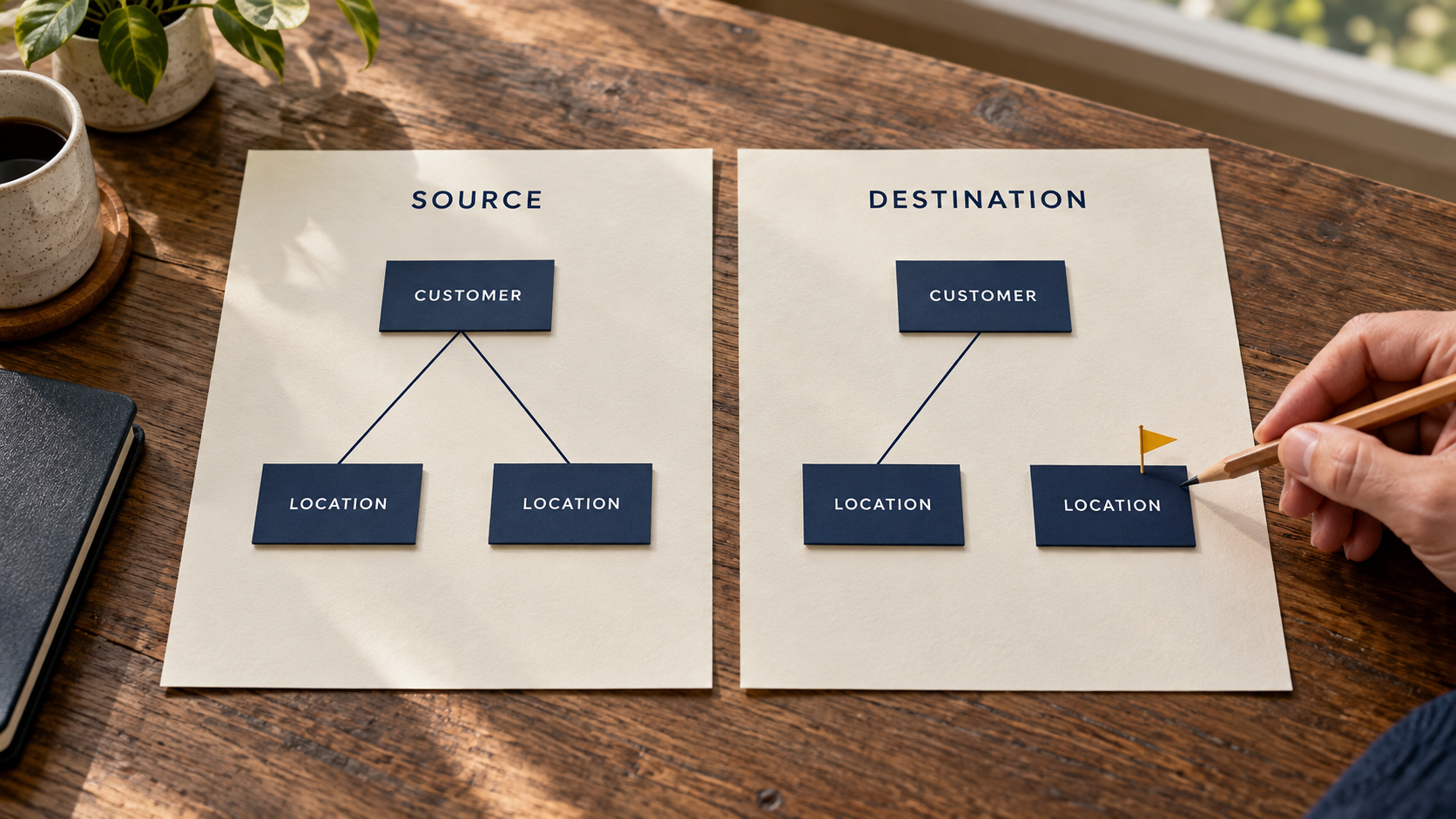

A successful legacy application migration preserves the work people depend on while making the system easier to change. Leaders need an explicit choice about what to retain, replace, and move first, with evidence that customers and staff can still complete their critical tasks.
Imagine a hypothetical field-service company replacing its dispatch application. Dispatchers can create jobs in the new interface, but an overnight export still supplies payroll. Moving the screen before tracing that dependency could leave technicians working correctly and being paid incorrectly. The migration boundary must include the business outcome, not just the application interface.
Make one workflow the unit of migration
For each proposed migration slice, write a short acceptance card before committing the cutover date.
- Outcome: name the task a person must finish, including the unusual cases.
- Boundary: identify every system that reads or changes the records involved.
- Authority: specify which system owns each record during coexistence.
- Proof: define reconciliation, access, performance, and recovery tests with the business owner.
- Exit: record the stop condition, decision-maker, and treatment of new transactions if the change must be reversed.
Restoring yesterday’s database is not a complete rollback plan if customers have placed new orders today. The plan must account for those writes and any actions already sent to other systems.
As another hypothetical, a professional-services firm may move document search before billing. That is a sensible first slice only if document permissions remain correct and the old system can still supply required records. A low transaction volume does not make unauthorized access a low-consequence failure.
Completed acceptance card (hypothetical): Move dispatch creation while the old payroll export remains authoritative until reconciliation is accepted. Operations approves job handling; the payroll owner approves totals. Missing or duplicate payroll records block cutover. The recovery plan must retain and reconcile jobs entered after switching, including any export already delivered to payroll. The next slice starts only after these conditions are demonstrated.
Migration is a business decision before it is a technical project
Most legacy applications contain more than old code. They hold years of operational policy, edge-case handling, customer history, approval logic, and integrations that may not be documented anywhere else. Some of that complexity is accidental. Some of it reflects real business requirements that competitors do not understand.
That distinction matters. Rebuilding every existing feature preserves waste. Replacing the system with an off-the-shelf product can force a business into weaker processes. Keeping the application untouched may look prudent until a key integration fails, a compliance requirement changes, or the one person who understands the system leaves.
The right question is not whether the current platform is old. It is whether it is limiting revenue, capacity, control, customer experience, or risk management. If the application works but prevents a needed acquisition integration, self-service portal, automation initiative, or product launch, its age has become a strategic constraint.
A legacy application migration guide starts with evidence
Before selecting a platform or approving a rewrite, establish a clear picture of what the application actually does and what failure would cost. This is more disciplined than gathering a wish list from every department. It requires examining production behavior, support records, source code, data flows, interfaces, security controls, and the manual work surrounding the application.
Define the non-negotiable outcomes
Leadership should specify the business conditions the migration must protect or improve. These may include uninterrupted transaction processing, a reliable audit trail, lower dependency on a specific vendor, faster onboarding of customers or employees, or the ability to introduce new pricing rules without a major release.
These outcomes become decision criteria when trade-offs appear. They also prevent a migration from becoming a broad modernization program with no practical boundary. A useful test is simple: if a proposed feature or architectural improvement does not support a stated business outcome, it should be deferred unless it materially reduces delivery or operating risk.
Map the real system, not the documented system
Architecture diagrams are often incomplete, and user interviews alone are not enough. Teams need to identify upstream and downstream integrations, batch jobs, exports, shadow databases, identity rules, user roles, reporting dependencies, and manual exceptions. A spreadsheet maintained by operations may be an unofficial but critical component of the current system.
This discovery work exposes migration risk early. It also reveals opportunities to retire duplicate workflows rather than carrying them into a new environment. The goal is not to document everything equally. It is to focus attention on the processes where data loss, downtime, incorrect decisions, or customer disruption would have a material business consequence.
Choose the migration path that fits the constraint
There is no universally correct migration method. The appropriate approach depends on the condition of the codebase, the quality of the data, the urgency of the business need, the number of integrations, and how much operational change the organization can absorb.
Rehost when speed matters more than change
Moving an application to modern infrastructure can reduce exposure to aging servers and unsupported environments. It is useful when the software remains stable and the immediate problem is infrastructure risk. It does not fix weak architecture, unclear ownership, or a difficult user experience. Rehosting is often a containment move, not modernization.
Replatform when the application is sound but constrained
A replatforming effort updates key components such as databases, hosting, authentication, or application frameworks while preserving much of the existing behavior. This can be a practical middle path when the core business logic is valid and the team needs better security, maintainability, or deployment reliability.
The danger is underestimating compatibility issues. Old dependencies, undocumented database behavior, and custom integrations can make a supposedly modest upgrade more disruptive than a rebuild. Technical assessment should precede commitments to scope and sequencing.
Replace when the process is common and the customization is not strategic
Finance, HR, CRM, and other common business capabilities can sometimes be replaced effectively with established software. Replacement makes sense when the legacy system mainly replicates standard functions and the organization is willing to adopt more standard operating practices.
It is a poor fit when the application supports a differentiated workflow, complex customer relationship, proprietary data model, or commercial process that packaged software handles only through expensive customization. A license fee does not remove implementation risk. It shifts much of that risk into configuration, data conversion, integration, and organizational change.
Rebuild or incrementally replace when the application is central to the business
When an application is business-critical but structurally limiting, a custom rebuild or phased replacement can create the most durable result. The strongest approach is often incremental: introduce a new capability around the old system, migrate a defined workflow, validate it in production, then move to the next domain.
This can reduce dependence on a single large cutover; each slice still needs a controlled release. It requires disciplined integration and temporary coexistence rules. For a period, two systems may need a clear source of truth for customers, orders, inventory, or financial records. Without that governance, a phased program can create confusion instead of reducing it.
Plan the transition, not just the destination
Migration plans often focus heavily on the target architecture and too lightly on the cutover. Executives should ask how data will be cleansed, reconciled, migrated, and verified. They should also ask what happens if a critical workflow fails during launch, who has authority to pause the rollout, and how users will work during the transition.
Data migration deserves particular scrutiny. Legacy data is frequently incomplete, duplicated, inconsistent, or structured around historical workarounds. Moving all of it may be unnecessary and expensive. Moving too little can impair customer service, reporting, or compliance. Retention requirements, business value, and operational access needs should determine what transfers and what remains available in an archived environment.
AWS’s migration-validation documentation illustrates a useful distinction: comparing source and target records is a technical check. Your acceptance plan must also test the business behavior around those records. This guide does not assume AWS is the right platform for your migration.
Testing must reflect real operating conditions. A system can pass functional tests and still fail under month-end volume, unusual approval paths, partner data formats, or a partial outage in an external service. Involve the people who handle exceptions, not only the stakeholders who sponsored the project. They often know where the business is most exposed.
Govern for decisions, not status updates
Demand evidence rather than reassuring status language. Useful indicators include which critical workflows have been validated, which integrations remain uncertain, whether migrated records reconcile to source data, what assumptions require business approval, and where the team is carrying temporary risk.
Complete the next acceptance card
Choose one workflow, complete the five-part acceptance card with its business owner, then decide whether it is ready to move.
For a business-critical migration, start with the workflow you cannot interrupt. Tell us who uses it, what it connects to, and which dependency is least understood. Discuss your project with One Blink Tech. Start with a non-confidential summary; do not send credentials, customer records, or transaction documents through a general inquiry form.